Cyberium Arena · Training platform

A training centreyou never had to build.

Organisations that want cyber training inside their own walls stall at the same place: the curriculum, the lab, the instructors and the assessment are four separate projects, and none of them is the one you do for a living. Cyberium Arena is all four, already built, running under your own name.
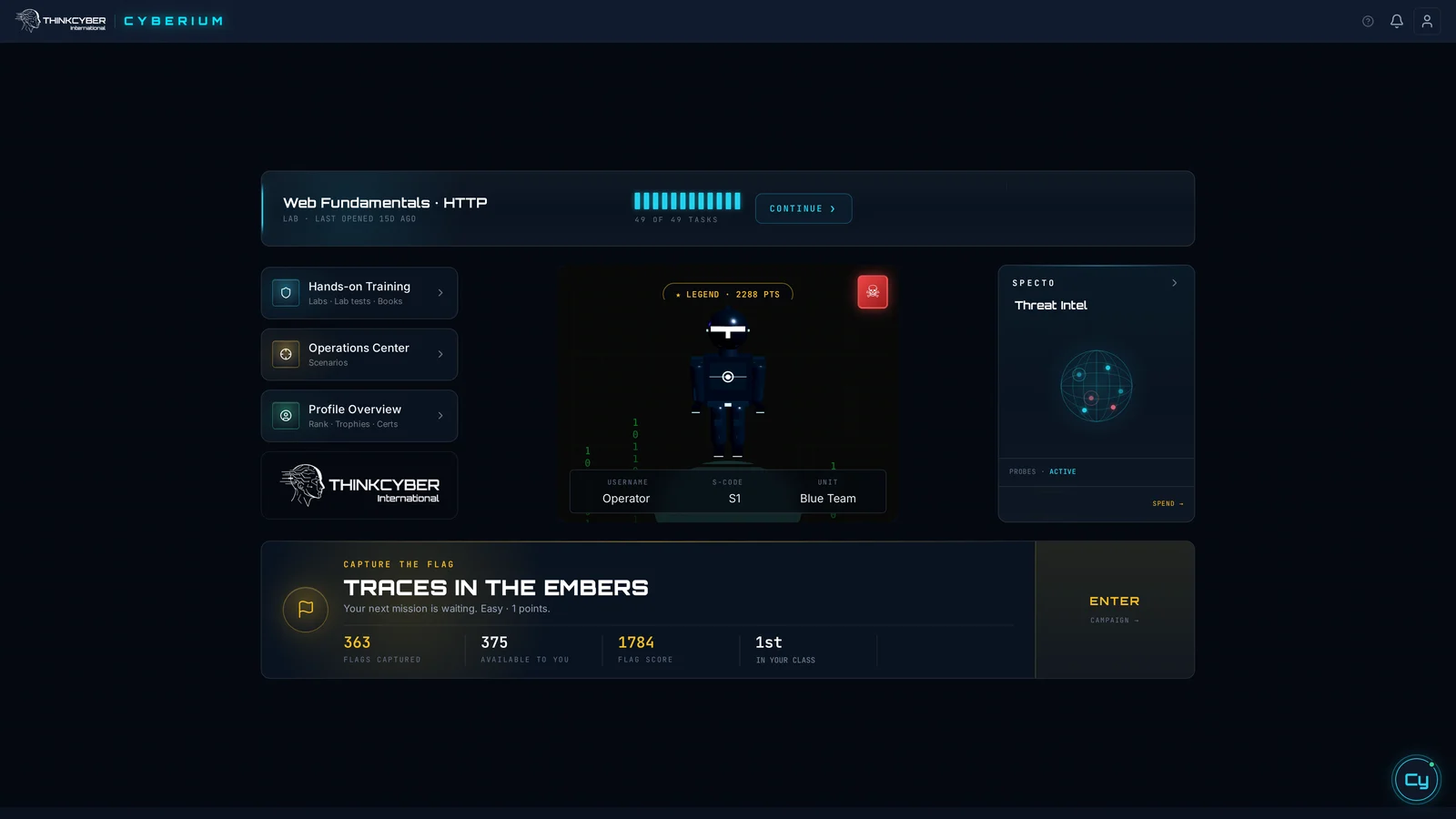
The Cyberium student dashboard
What a student opens · a partner’s own branding, the lab they left yesterday, rank, the attacks we caught and the next flag waiting

They learn the job by doing the job

A student opens a terminal into a real system and is given something to find. Not a video, not a quiz with four answers. The machine behaves the way a machine behaves, including when they get it wrong — which is the part that teaches.

Everything runs in the browser, on whatever machines your people already have in front of them.

Nothing to install. Nothing for your IT department to approve.
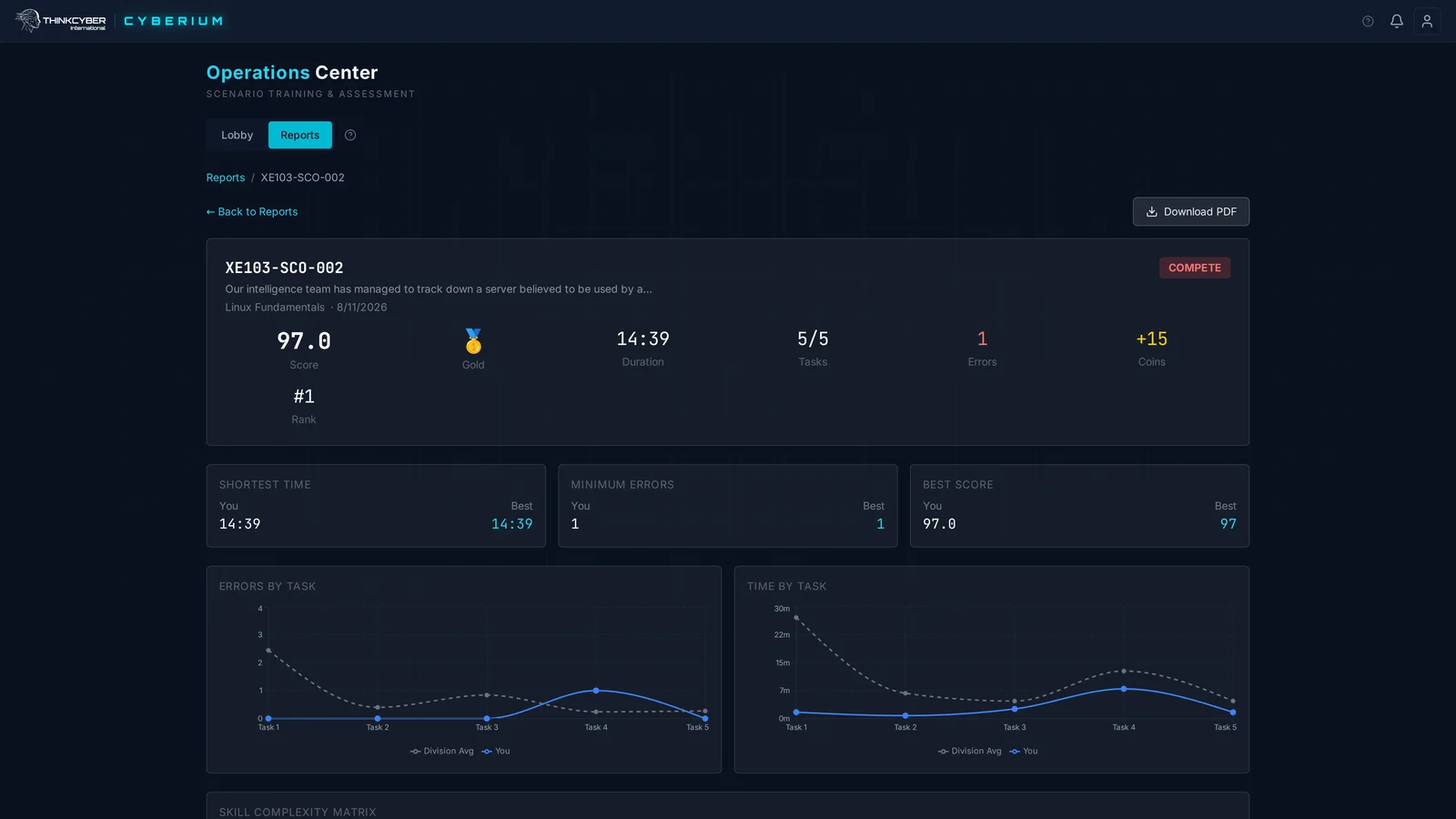
A scenario report in the Operations Center: score, rank, duration, tasks, errors, and charts comparing the student with the division
Scenario report · score, rank and time, task by task

Real attacks, not invented ones

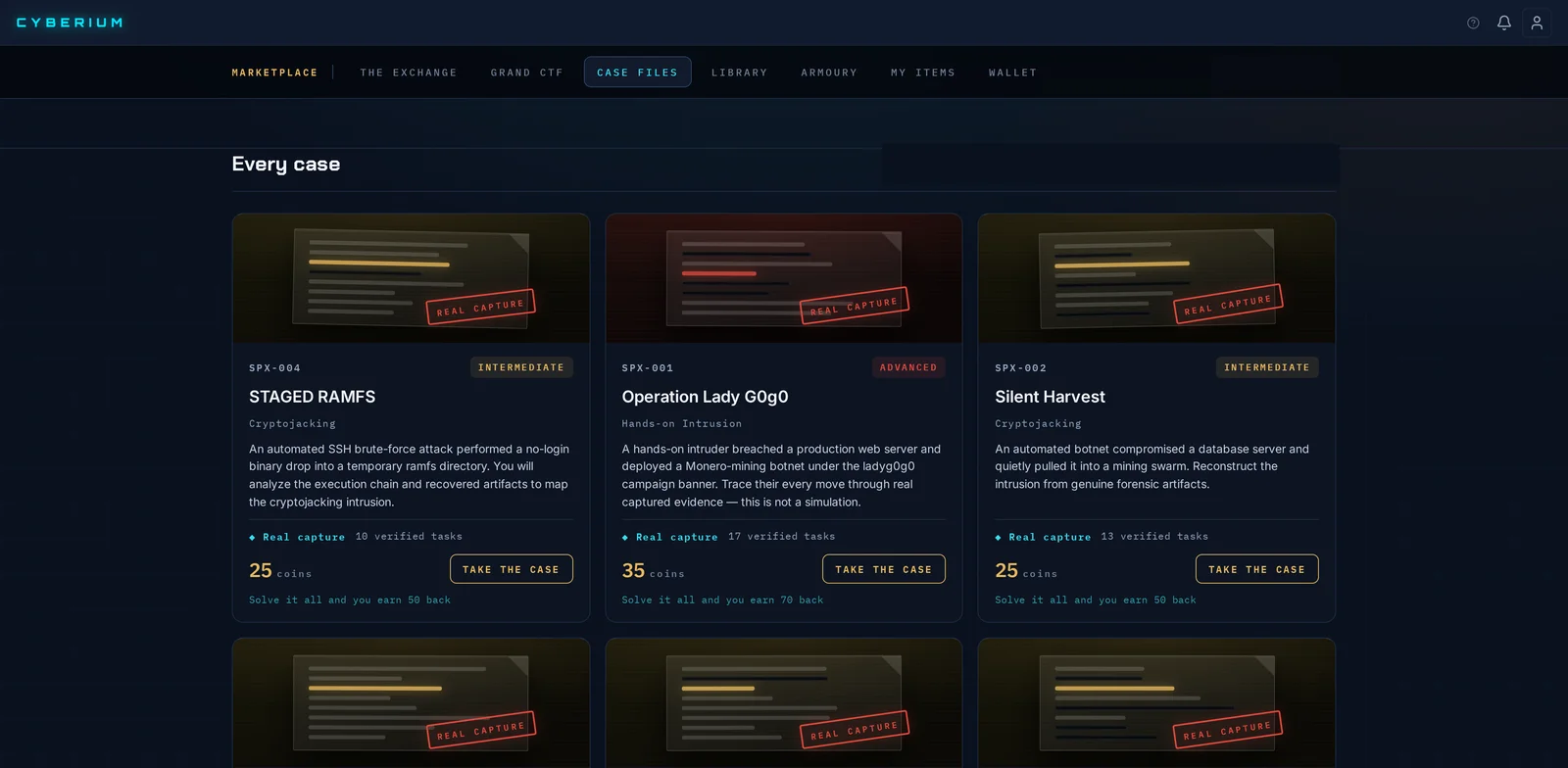
Specto is where we keep the attacks our decoy servers catch, and it runs inside the platform. What your students look at is traffic captured on our own sensors — the intrusion, the commands the attacker actually ran, and the technique behind each one.

Students work on a real break-in, not an invented one. Source addresses are masked; everything else is what we saw.

Case Files: real break-ins our decoy servers caught, each one a case students take on
Case Files · real break-ins, each one a case

You run it. Not us.

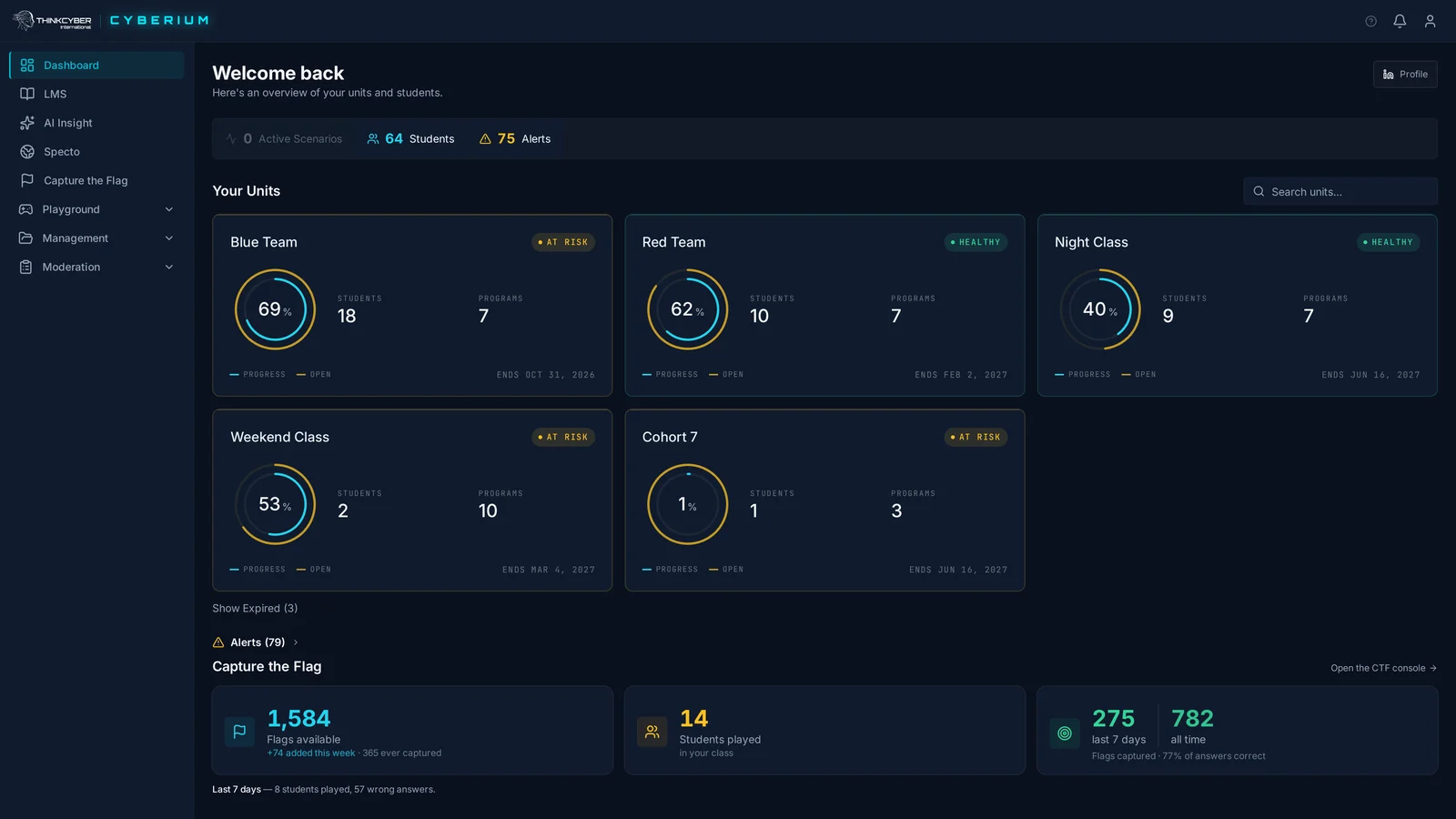
Your instructors launch scenarios, watch them play out, and stop them when the session needs it, with every seat in the room visible at once. Every exercise is recorded against the person who did it, so “is this working” is answered from the screen rather than from an impression.

The trainer's dashboard: every unit with its students, programmes and progress, alerts, and the class's Capture the Flag activity
Trainer dashboard · every unit, its progress and alerts
01

Runs under your name Your own space, carrying your logo. Every screenshot in this document is a partner’s — their students see them, not us.

02

Open within 24 hours of your details No hardware, no installation, no instructor certification to complete first. We open your space and import your people from a spreadsheet.

03

Built by people who did the work The material comes out of military and national cyber practice, not a textbook.

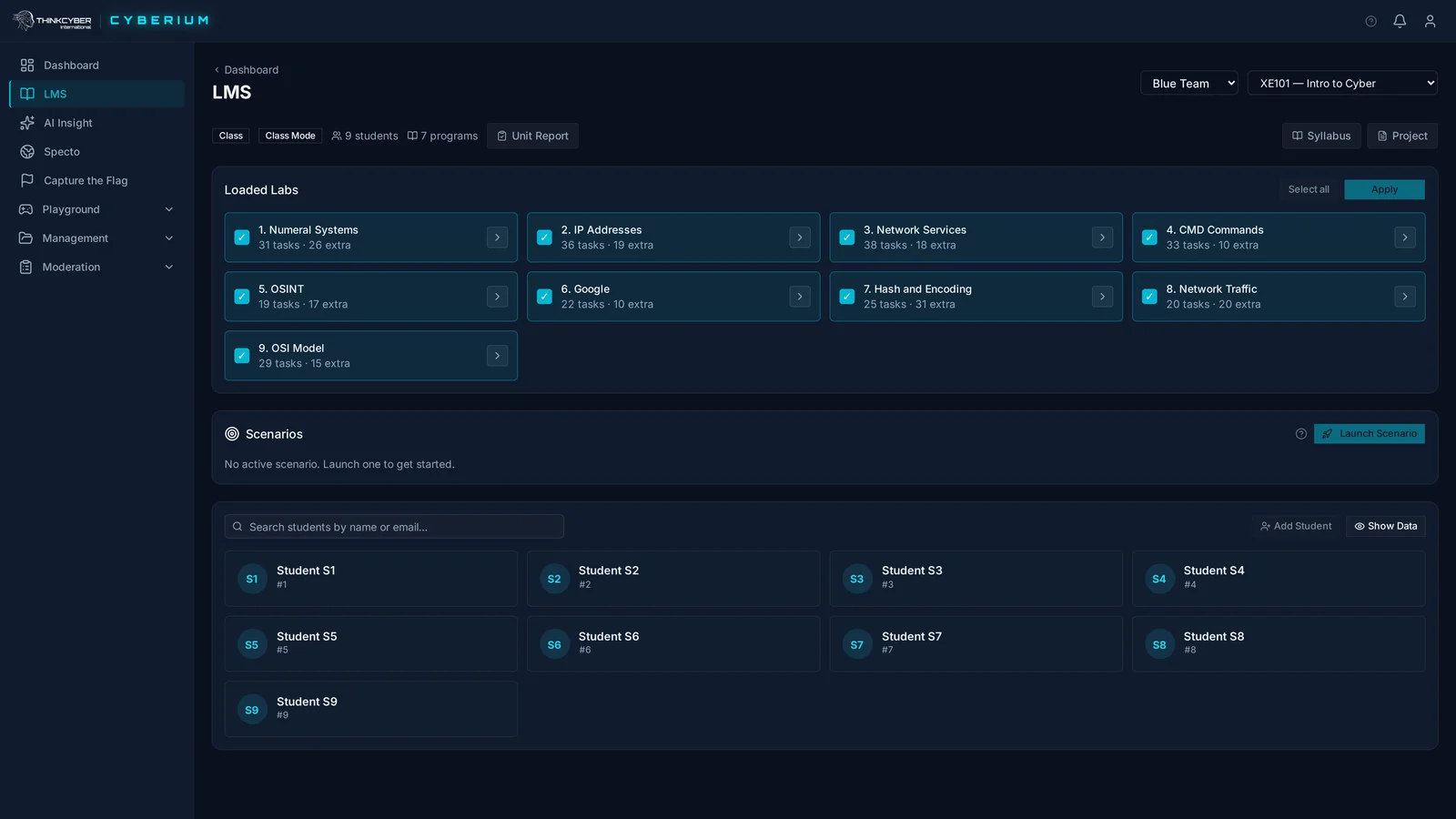
The trainer's LMS: a class selected, the labs loaded for it, scenarios ready to launch, and the students shown by S-code
Trainer LMS · the class, its labs and its students

Capture the Flag

The easiest thing to put in front of a new class.

No lecture, no lesson plan. You put a group in front of it and they compete. It is usually how an organisation finds out which of its own people have the instinct for this work — worth knowing before a budget is spent on them.

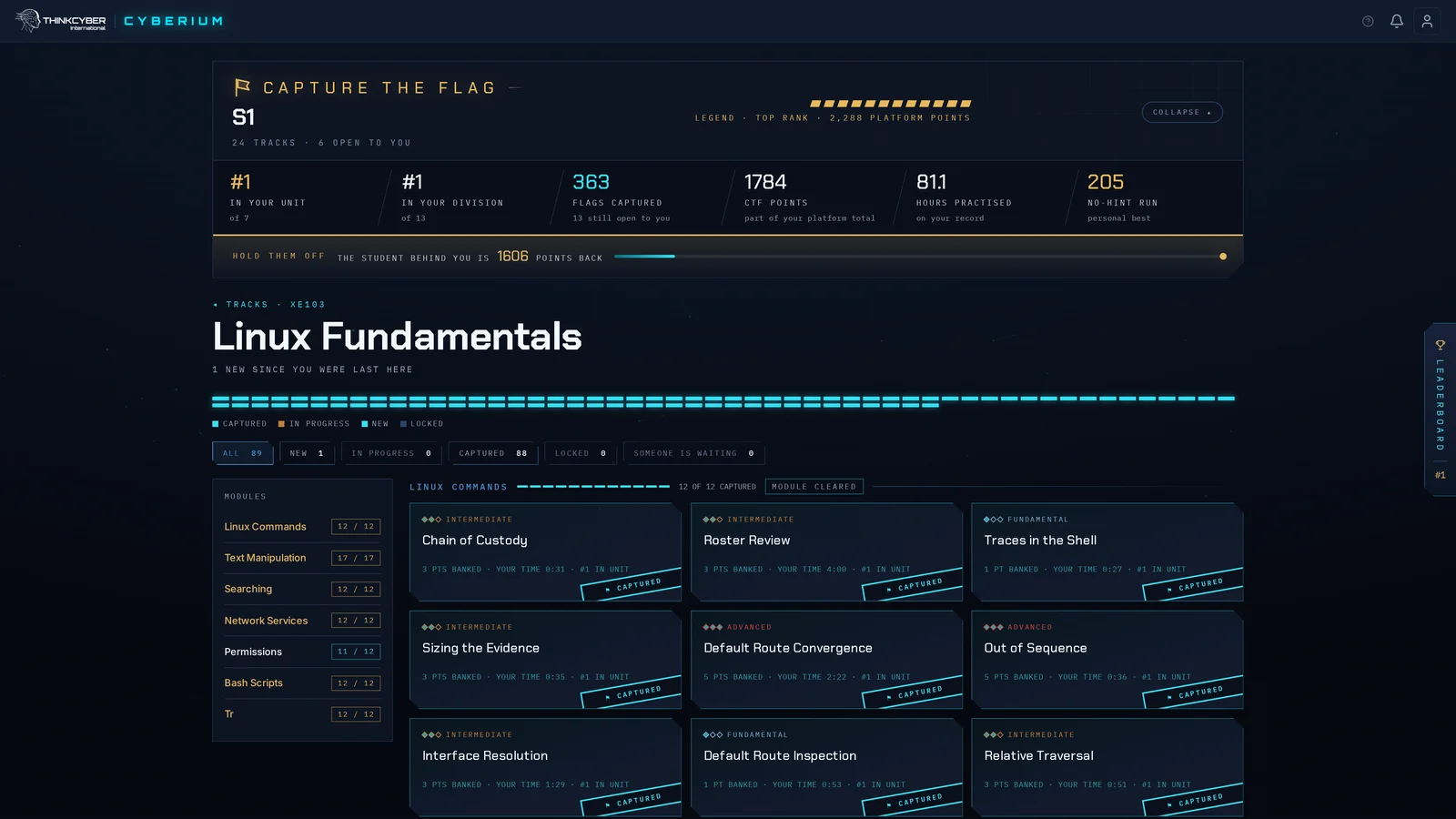
The Capture the Flag board: one student ranked first in their unit and division, 231 flags captured, 951 still open, and the challenge tracks laid out by level
First in their unit and their division · 363 flags captured, and a board of tracks to clear

The next step is not a presentation. It is putting a real class on the platform and watching what they do with it.

The catalogue is not the syllabus

These are building blocks. A programme can be assembled from material across tracks and levels and delivered as one course under your own name — so what your people study is the role you are training them for, rather than the course that happens to exist. Most organisations start from a track and then change it.

The curriculum

Every programme, and the level it sits at.

One numbering runs across all four tracks, from a first day with no background at level one to exploit development and industrial control at level seven. A student does not restart when they change direction — they carry their level with them.

XEFoundations

Assumes no background.

  • 1XE101Intro to Cyber
  • 1XE103Linux Fundamentals
  • 1XE105Python Fundamentals
  • 1XE107Web Fundamentals
  • 1XE109AI Fundamentals

Security Awareness (XE100) is offered through ThinkCyber Awareness.

ZXOffensive security

Attack technique, taught so defenders understand it.

  • 3ZX301Penetration Testing
  • 4ZX305Network Security
  • 5ZX322Offensive Python
  • 6ZX310Cyber Warfare
  • 6ZX311WebApp Security
  • 6ZX327Offensive Linux
  • 7ZX331Linux Exploit Development
NXDefence & forensics

The work of a security operations team.

  • 2NX201Network Research
  • 3NX212Windows Forensics
  • 3NX220SOC Analyst
  • 4NX224SOC AI
  • 4NX215Linux Forensics
  • 4NX216Network Forensics
  • 5NX214OSINT
  • 6NX232Malware Analysis
CXIndustrial & ICS

Where the risk is physical as well as digital.

  • 7CX401ICS & OT Fundamentals
  • 7CX410OT/ICS Security Assessment

Open this as a PDF